Transaction Linking
Transaction linking is how the OCPP Broker finds the driver of a charging session. When a session in Pleevi has no driver, its transaction was not linked to the OCPP start message that carries the badge. This page explains how linking works and how to find out why it failed, using the charger details in the Pleevi Portal.
How linking works
Pleevi links two things that describe the same charging session:
- the transaction your system sends to Pleevi over MQTT or the API, with its asset and start time, and
- the OCPP start message the charger sends through the broker, with the badge ID:
| OCPP version | Start message | Badge field |
|---|---|---|
| 1.6 | StartTransaction | idTag |
| 2.x | TransactionEvent with eventType Started | idToken |
They are linked when both are for the same asset, through the Socket-to-Asset Map, and the timestamp of the OCPP start message is within 5 minutes of the transaction's start time. Outside those 5 minutes the transaction is not linked. When the badge belongs to one of your drivers, the session is linked to that driver.
The broker forwards all other OCPP messages (MeterValues, StatusNotification, Heartbeat and so on) to your CPMS without processing them.
Look at the charger details
- Open your site, go to the OCPP Broker tab and click Details on the row of the charger.
- On the Measurements & transactions tab, find the transaction. Click it to see the full record, with its
started_attime. - On the OCPP messages tab, set the time range around that start time. Filter the Action column on
StartTransactionorTransactionEvent. - Click a message to see the request next to the response. Compare its
timestampwith the transaction's start time, and check its connector or EVSE ID.
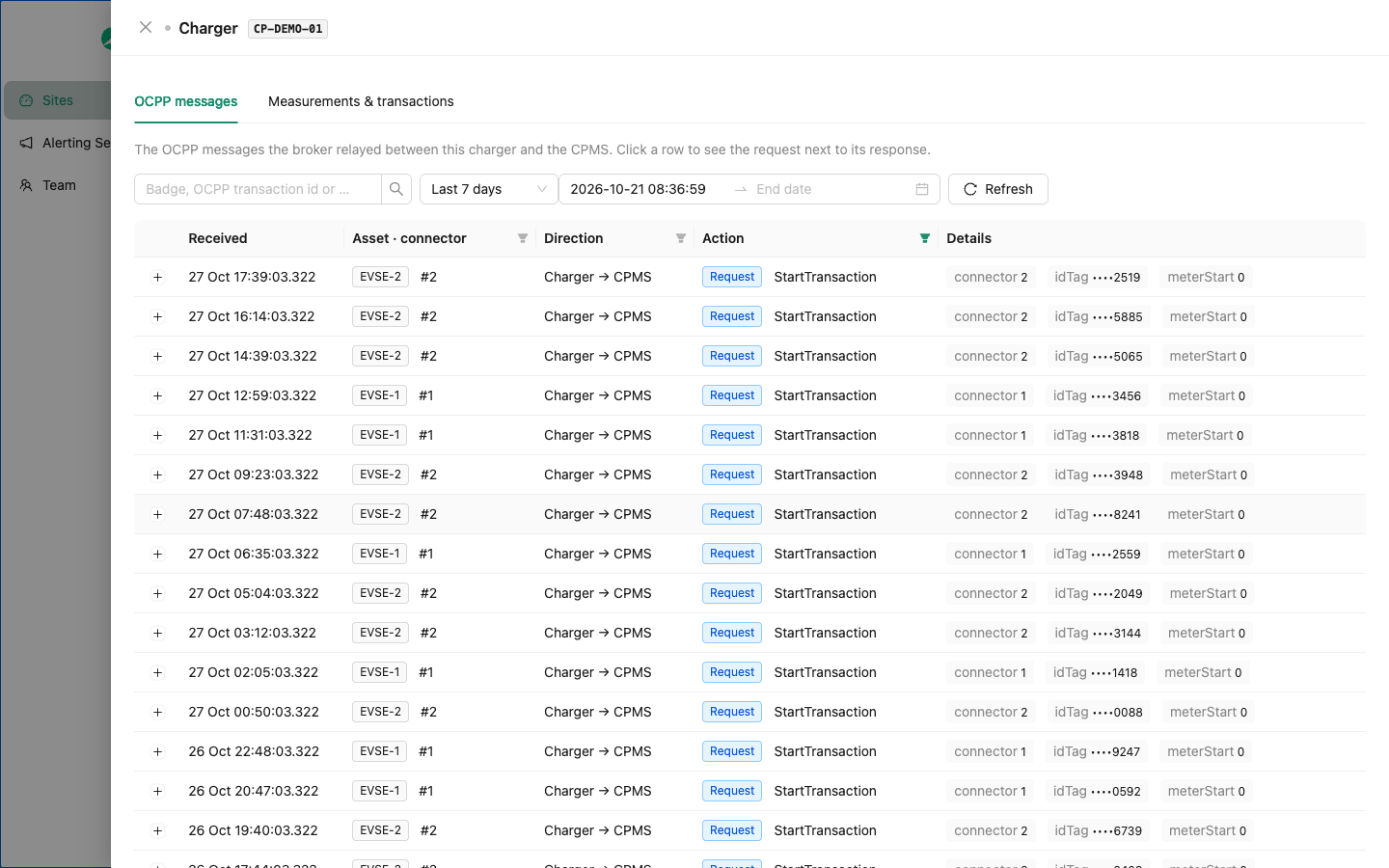
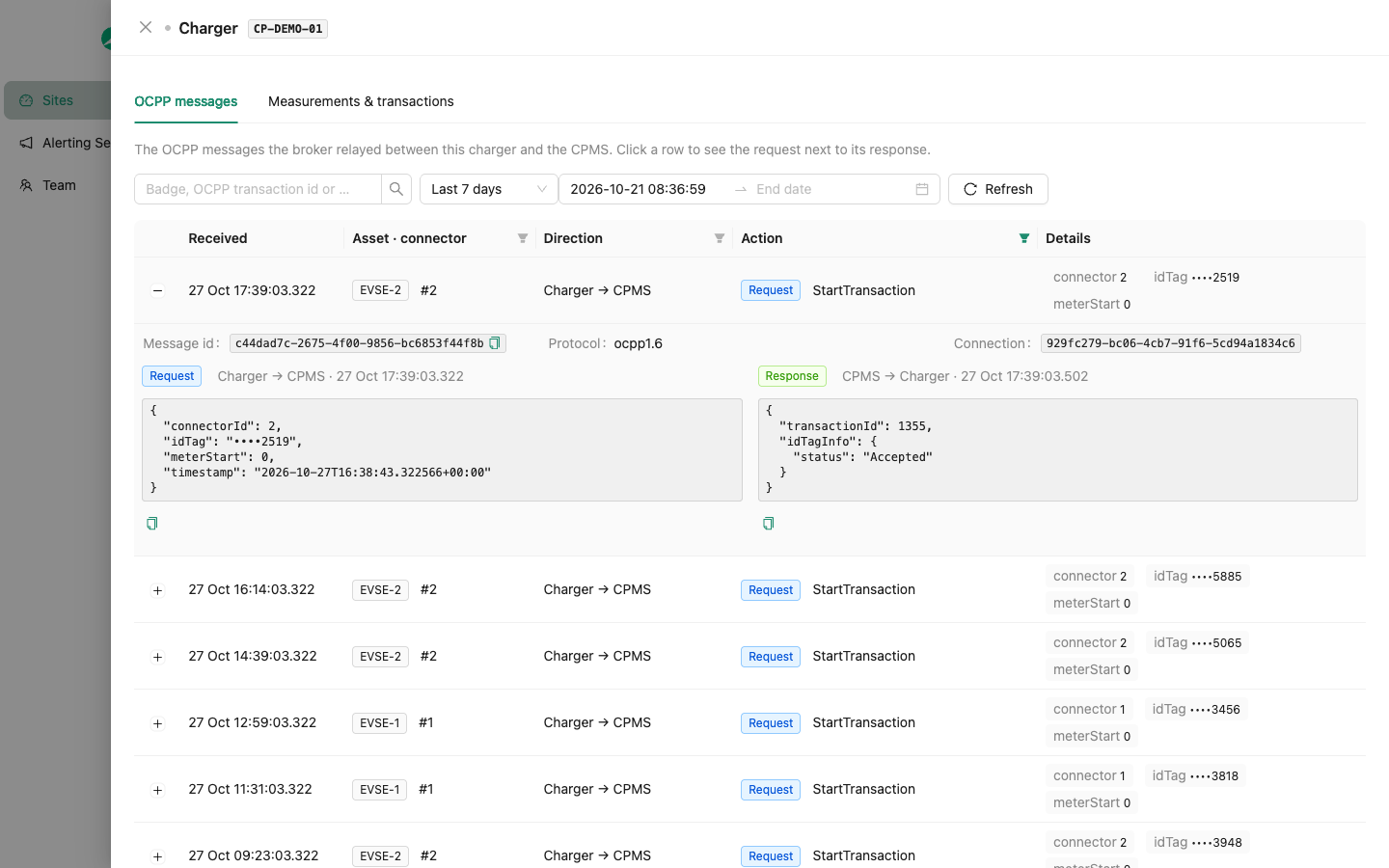
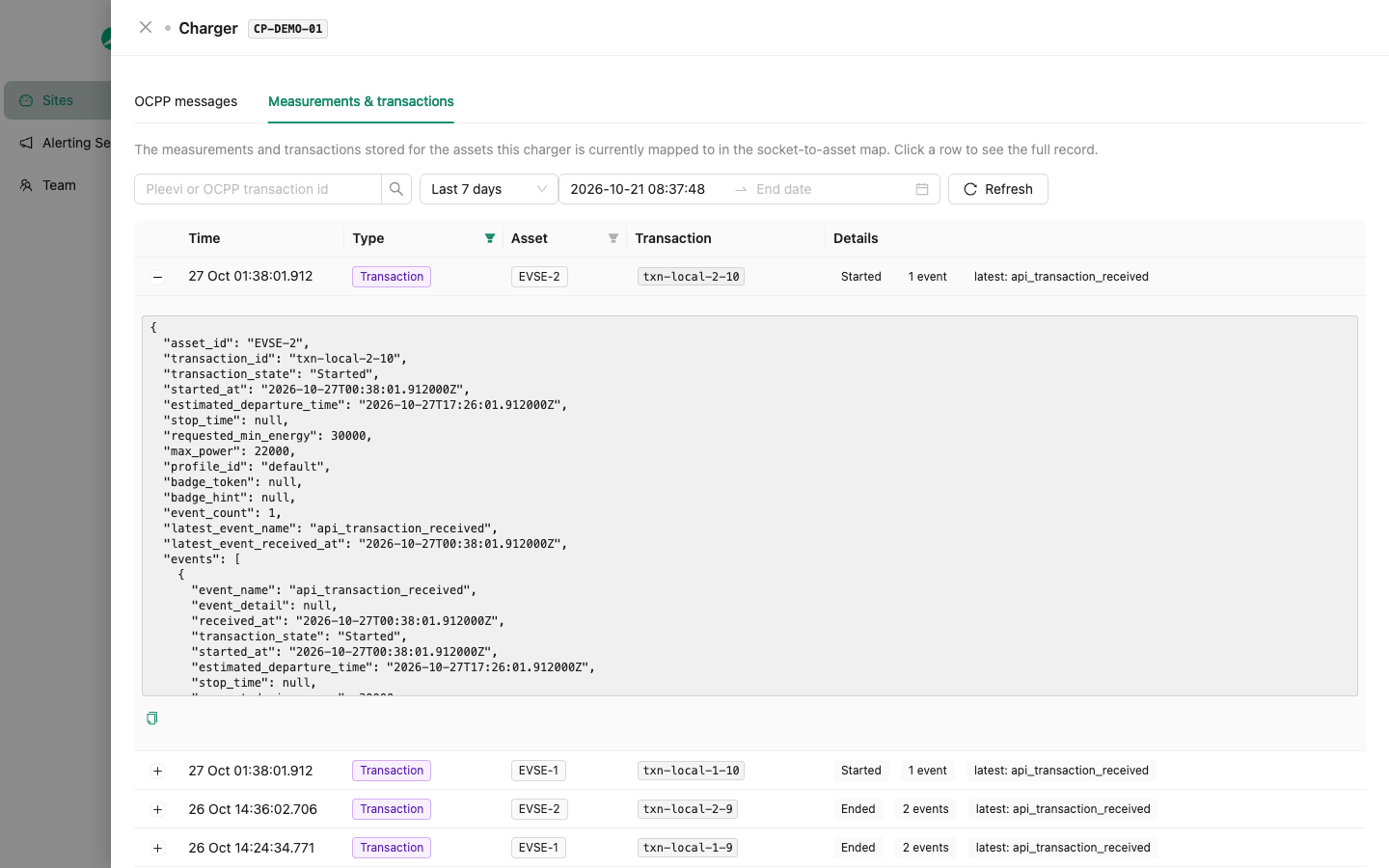
The filters in the column headers and the time range are kept in the page URL, so you can share the link with a colleague or with Pleevi support.
What you might find
| What you see | Likely cause | What to check |
|---|---|---|
| The OCPP start message is there, but more than 5 minutes from the transaction's start time | The transaction reached Pleevi late, or with a start time that is off. | The logs of the system that sends transactions to Pleevi: your local controller or cloud service. |
| No OCPP messages around the start time, or a gap of minutes to hours | The charger lost its internet connection, or it was not yet pointed at the broker. | The charging station's logs, for connection drops and reboots around that time. |
| Messages come in, then stop and do not come back | The charger switched to another network profile that points to your CPMS directly. Chargers can hold several profiles and fall back to another one. | That every network profile and fallback on the charger points to the Pleevi broker URL. |
| The OCPP start message is on another connector than the transaction's asset | The Socket-to-Asset Map does not match the physical connectors. | The order of the assets in the charger's row, see Map chargers to assets. |
| The OCPP start message has no badge | The session was started without a badge, for example from an app or with free charging. | The authorization settings of the charger or your CPMS. |
Still not linked?
Look in the charger's own logs for the moment it connects or switches to the Pleevi broker, and export that part or take a screenshot of it. Email it to support@pleevi.ai with:
- your site ID and the charge point ID,
- the transaction ID and its start time,
- the link to the charger details, with the filters you used.